

Connect multiple Sheets
Merge sales, accounts, and inventory without formulas & scripts.
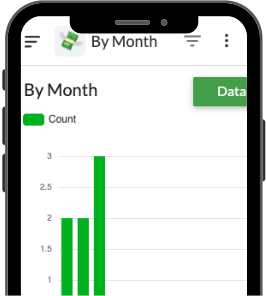
Keep your data in Google Sheets and let Quick Sheet do the work. Build apps, automate tasks, and replace expensive software — all inside your Google Workspace.
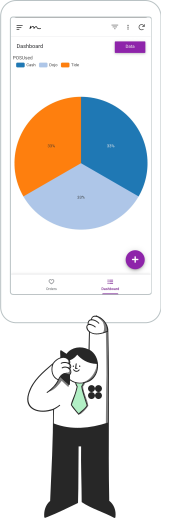



Launch apps in days!
Automate tasks instantly.
Eliminate manual errors.



Hundreds of teams have switched to Quick-Sheets to…
Stop wrestling with messy spreadsheets & 3rd party subscriptions. Turn your data into a seamless app and give your Business & Team the clarity, speed, and automation they deserve.
FREE Demo
No setup fees.
No subscriptions.

Apps that just work
No add-ons.
No extra monthly fees.




Say goodbye to copy-paste chaos!
Spreadsheets aren’t workflows
Turn your sheet into a clean, guided app
your team actually wants to use.
Forms, validations, and clear views replace
messy tabs—so work looks professional and
runs smoother everywhere.

Capture every update
Stay on top of quotes, tasks, and approvals
with notifications and clear status
tracking.
Missed something? Activity logs and
reminders keep work moving—no more “which
tab was that?” moments.

Goodbye extra subscriptions.
Your Google Workspace can do more — automate tasks, manage data, and streamline operations without extra tools or fees.
Quick Sheet helps you do it all within your existing Workspace, keeping your data secure and your costs under control.
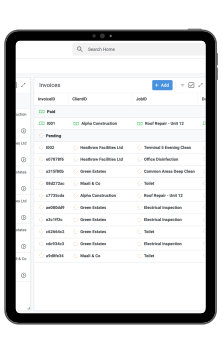
Perfect for solopreneur, small bisunesses or remote teams.
Feature
Quick-Sheet
Other
Built for Google Workspace
One-Time Setup, No Monthly Fees
Instant Automation
Easy Set Up
Custom Dashboards & Reports
Fast, Lightweight & Secure
Reliable Customer Support
Ease of Use
Merge sales, accounts, and inventory without formulas & scripts.
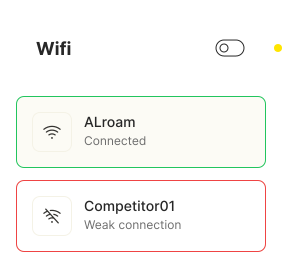
NKeep moving even without Wi-Fi — data syncs when you’re back online.
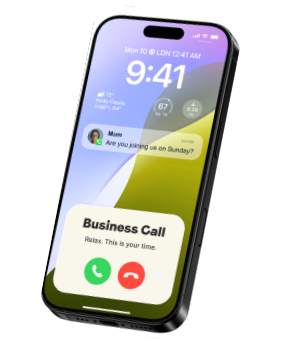
Buttons, forms, filters — no spreadsheets in sight.
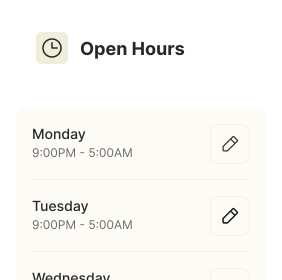
Manage data, tasks, or reports from any device.
Securely stored in your Google Workspace — no external servers.

Fill out forms from anywhere — even offline.
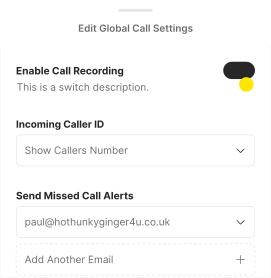
Add images to rows for proof of delivery or inspection.
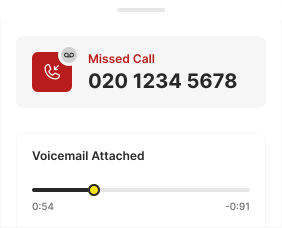
Notify clients or teams when a status changes.
Create branded PDFs straight from your Sheet data.
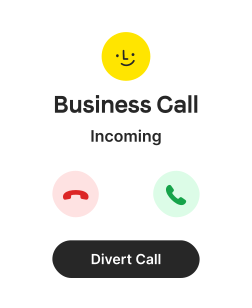
Turn raw data into beautiful, interactive views.

Let Quick Sheet handle the boring stuff so you can focus on growth.
Manual processes don’t stand a chance...
Work happens hands-free
Always up-to-date
Access anywhere
One app to streamline your entire workflow

No rebuilds, no wasted work.
Your sheet stays the backbone—add new fields, logic, or screens anytime without starting over.

Give your team a workspace that looks sharp and fits how you actually work.
Buttons, forms, dashboards—all tailored to your workflow.

No more “version 3 FINAL-final.xlsx.”
Every change updates in real time across mobile and desktop—so your data’s always fresh.

Notifications, approvals, and reminders run automatically.
Because your brain deserves a break from remembering every status update.

Transform dull rows into living dashboards.
Charts, KPIs, and live metrics—because your data deserves better than hiding in column D.

Role-based access ensures everyone sees only what they need.
Stop worrying who’s editing what—your app’s got rules.

Automate off-hours tasks and weekend approvals.
Your app keeps running even when you’re out enjoying life.

Streamlined forms and dashboards.
Designed around your exact process.
Quick-Sheets in action
See Quick-Sheet in action.
Watch how a simple spreadsheet evolves into a clean, automated app — all within your workspace.
It won't take long to become one yourself…

Owner @ Vaag Rani Properties
Property Management
Quick-Sheets has completely transformed how we manage our properties.
We used to track everything in separate spreadsheets — rent checks, safety certificates, maintenance schedules — and things often slipped through the cracks. The Quick-Sheets team built us a custom app that pulls all our data together and automates reminders and updates. Now we never miss a renewal or inspection, and our whole operation runs smoothly inside our Google Workspace.

Owner @ Maali & Co,
Baby Clothing
I warmly recommend Quick-Sheet to small / medium business owners.
We were managing all our orders and inventory through spreadsheets — it was slow and easy to break. Quick-Sheets turned our data into a simple app that keeps everything organised and automated. Their team was responsive, clear, and made the whole process effortless. It’s completely changed how we run the business. Hihgly Reccomended.

My neighbour's kid, Harry. Lemonade stand owner.
Every business niche
They made me look legit!
Now I can track lemons, cups, and profits right from my mum’s tablet. When I’m old enough for my own Laptop, I’ll build an upgrade with Quick-Sheets. (Okay, fine — we made this one up. But honestly, every type of business could use a little Quick-Sheets magic.)

Just an old guy I met on the bus
Non-techy person
The best company in the UK and probably the whole world
My knees are screwed, my friend's are dead, and my eyesight is terrible! But at least Quick Sheet know how to build native google apps corectly! Alright we wrote this one ourselves.. Seriously, try it us for yourself. We're happy to take your call and discuss your needs.

G & Wife
Serial entrepreneur
It saved our marriage!
I used to wake up sweating about version control. Now my data just behaves. My other venture, EmotionalPivotTables.org, has never looked more professional. 10/10 would automate again. Kerrrr-ching.
What are you waiting for?
Launch apps in days!
Automate tasks instantly.
Eliminate manual errors.

Need to learn more

Quick Sheet transforms your existing Google Sheets into custom business apps using AppSheet — no code required, just smarter structure, logic, and automation built on top of your data.
Yes — that’s exactly what Quick Sheet is built for.
Most businesses use multiple paid tools for tasks that can already be automated inside Google Workspace. With Quick Sheet, we design custom workflows that replace those extra subscriptions — all using the tools you already have.
For example:
- Replace paid timesheet platforms with automated Sheets + AppSheet tracking apps.
- Manage inventory or job scheduling directly inside Google Sheets with real-time dashboards.
- Generate invoices and reports automatically as PDFs and emails, without third-party software.
- You keep your data private, save recurring costs, and manage everything from one place — your own Workspace.
Yes. Quick Sheet works within your Google Workspace environment. If you don’t have one yet, we can help you set it up before your project begins.
That way, we can provide you a Demo App which is Bespoke and Relavant. Though it is not initially mandatory to provide us with a Sheet, it helps us contextualise your needs & allows us to provide you a tailor made Demo before you decide to proceed.
Very easily. Open your Google Sheet & click Share in the top right of the screen.
Insert our EMail info@quick-sheet.com into the text field.
Copy the Link by clicking the Paperclip Icon.
Choose Editor then click Send. We will receive notification of the Shared Sheet
Also Paste the link into our Contact form
HERE
You grant our build account temporary access to your Sheets and related Workspace tools. Everything stays securely within your own environment.
You do — 100%. The app is created under your Workspace account, so you retain full control and ownership of all data, automations, and permissions.
Usage depends on your Workspace user accounts. Any user within your domain can be granted access and roles can be managed as your team grows.
No issue — apps can function offline. Data collected while offline syncs automatically once the user regains internet connection.
We can build from a blank template. Once you begin adding data, your app will update automatically — no rework needed.
Yes. We can integrate your app with Drive, Gmail, Docs, and other Workspace tools to automate uploads, emails, or document creation.
Definitely. We apply role-based permissions and filters so users only see the data and features relevant to them.
Every build includes two weeks of post-launch support. After that, you can subscribe for ongoing updates and refinements as your needs evolve.
Of course. We only request access to the specific Sheets and Workspace components needed to build your app — nothing else.
Usually not — Quick Sheet apps are intuitive. We’ll also provide a short video walkthrough and documentation to get everyone comfortable quickly.
Most apps are delivered in days, depending on complexity and automations. We’ll confirm your timeline before work begins.
From approvals and alerts to scheduled reports and status tracking. Automatic Emails and PDFs on update — we automate repetitive processes so your business runs smoothly.
No problem. Though we doubt youll have the need too. Your app can later connect to other databases or APIs like BigQuery, so it scales as your business expands.
Yes. We can link your app to Google Contacts so names, emails, and phone numbers auto-fill or stay in sync with your data.
Absolutely. We can create or update Calendar events automatically for bookings, deadlines, inspections, or reminders.
Yes. Apps can send automated emails — confirmations, reminders, or alerts — all from your business Gmail address.
You’ll get a secure upload link to send your logo, any email wording, and your existing spreadsheet so we can design everything consistently.
You can share your sheet directly via Google Drive or through our onboarding form. We’ll use it to map your workflow and app schema.
We’ll start with a quick discovery call (phone or video) to talk through your goals, followed by a short online form for context and examples.
That’s okay. Most clients start with a simple sheet and an idea. We’ll help shape it into an efficient, automated workflow.
Not really — Quick Sheet apps are simple to use. We’ll walk you through everything on Zoom and provide a recorded video guide for your team.


